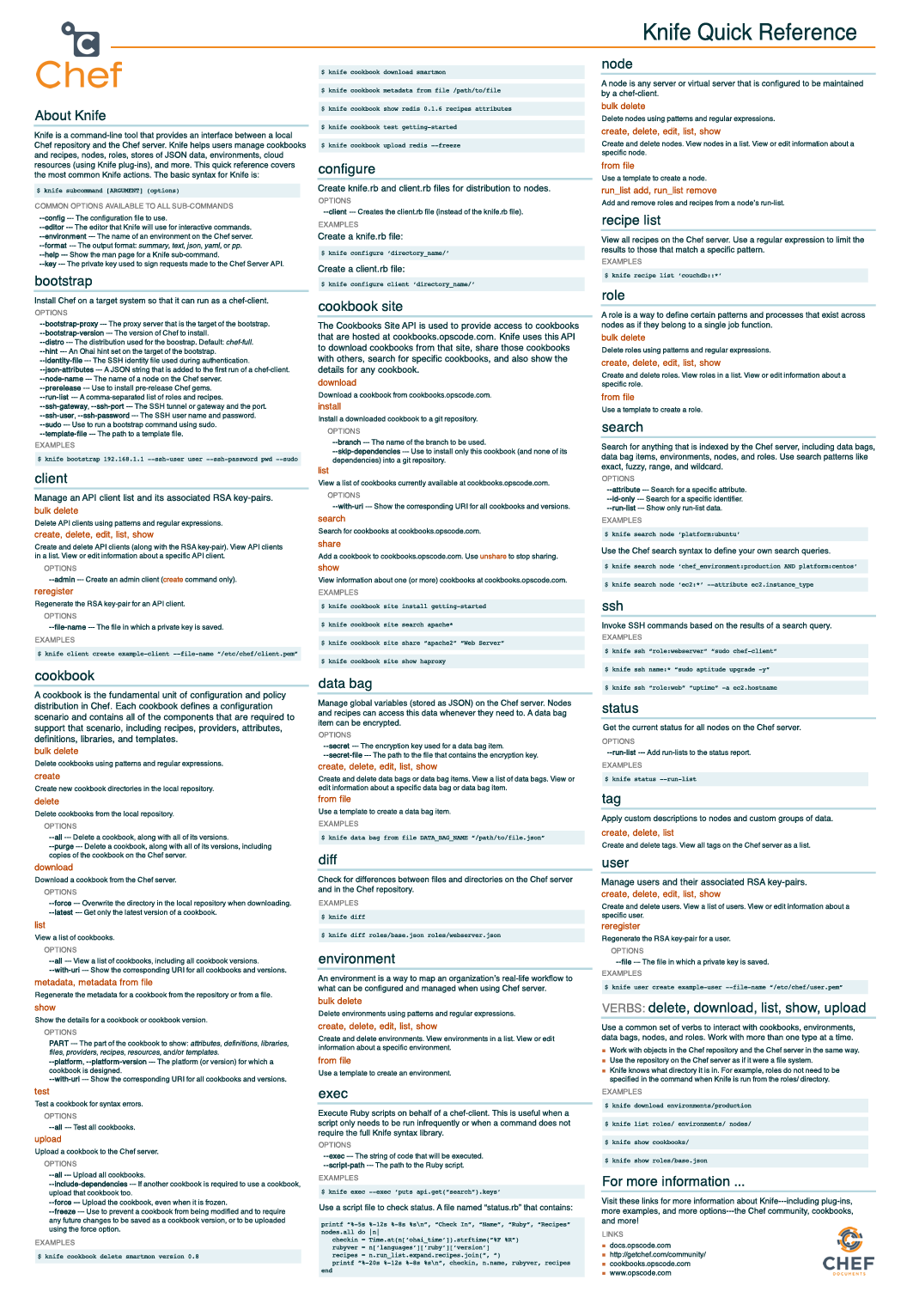
knife is the command-line tool that bridges your local chef-repo on a Chef Workstation and the Chef Infra Server. It allows administrators to manage nodes, cookbooks, roles, environments, data bags, and cloud/on-premises bootstrapping.
Below is a quick-reference cheat sheet of frequently used knife, chef generate, and kitchen commands.
1. Initial Setup, SSL Certificates, and Node Bootstrapping
# Fetch and verify the Chef Server's TLS certificate into .chef/trusted_certs/
knife ssl fetch
knife ssl check

# List all registered nodes and API clients on the Chef Server
knife node list
knife client list

# Bootstrap a Linux node over SSH using sudo
knife bootstrap 172.2.2.34 \
  --node-name nagiosxi-test-linux \
  --ssh-port 22 \
  --ssh-user root \
  --ssh-password 'REPLACE_WITH_SSH_PASSWORD' \
  --sudo

# Bootstrap a Windows node over WinRM
knife bootstrap windows winrm 172.22.2.222 \
  --winrm-user 'Administrator' \
  --winrm-password 'REPLACE_WITH_WINRM_PASSWORD' \
  --node-name nagiosxi_test_windows_client \
  --winrm-ssl-verify-mode verify_none \
  -V -y \
  --run-list 'recipe[chef-client]'
2. Node and Run-List Management
# Inspect a node's attributes and run list
knife node show <node_name>

# Add or remove a recipe/role on a node's run list
knife node run_list add <node_name> 'recipe[cookbook_name::recipe_name]'
knife node run_list remove <node_name> 'recipe[cookbook_name::recipe_name]'

# Delete a node and its API client from the Chef Server
knife node delete <node_name> -y
knife client delete <node_name> -y
3. Working with Data Bags
# Create a data bag and an item on the Chef Server
knife data bag create starter-databag cmadmin

# Edit an existing data bag item in $EDITOR
knife data bag edit starter-databag cmadmin

# Upload a data bag item from a local JSON file (with optional encryption secret)
knife data bag from file starter-databag data_bags/starter-databag/cmadmin.json \
  --secret-file .chef/encrypted_data_bag_secret

# View a data bag item (decrypting if --secret-file is provided)
knife data bag show starter-databag cmadmin --secret-file .chef/encrypted_data_bag_secret
4. Scaffolding Cookbooks with chef generate
# Generate a new cookbook
chef generate cookbook <cookbook_name>

# Generate a cookbook with custom copyright, author email, and license metadata
chef generate cookbook <cookbook_name> \
  --copyright "Zubair AHMED" \
  --email "ahmedzbyr.a@gmail.com" \
  --license "mit"

# Generate an attributes file, recipe, or template inside a cookbook
chef generate attribute <attribute_file_name> --copyright "Zubair AHMED" --email "ahmedzbyr.a@gmail.com" --license "mit"
chef generate recipe <recipe_name> --copyright "Zubair AHMED" --email "ahmedzbyr.a@gmail.com" --license "mit"
chef generate template <template_name>
5. Uploading, Downloading, and Searching Cookbooks
# Upload a specific cookbook or all cookbooks to the Chef Server
knife cookbook upload <cookbook_name>
knife cookbook upload --all

# Search, inspect, and install community cookbooks from Chef Supermarket
knife supermarket search apache
knife supermarket show haproxy
knife supermarket install <cookbook_name>

# Legacy aliases (knife cookbook site)
knife cookbook site search apache*
knife cookbook site show haproxy
knife cookbook site install <cookbook_name>
6. Searching Inventory with knife search
# Find all Ubuntu or CentOS nodes
knife search node 'platform:centos'

# Run an ad-hoc SSH command across all nodes matching a search query
knife ssh 'role:web' 'sudo chef-client' -x ubuntu
7. Local Cookbook Testing with Test Kitchen (kitchen)
# List configured instances in .kitchen.yml
kitchen list

# Provision the test VM
kitchen create

# Run Chef Inside the VM to apply the cookbook
kitchen converge

# Run InSpec / Serverspec verification tests
kitchen verify

# Tear down the test VM
kitchen destroy

# Run the full lifecycle (destroy -> create -> converge -> verify -> destroy)
kitchen test
Official knife Visual Reference Card
Courtesy of github.com/chef/quick-reference: